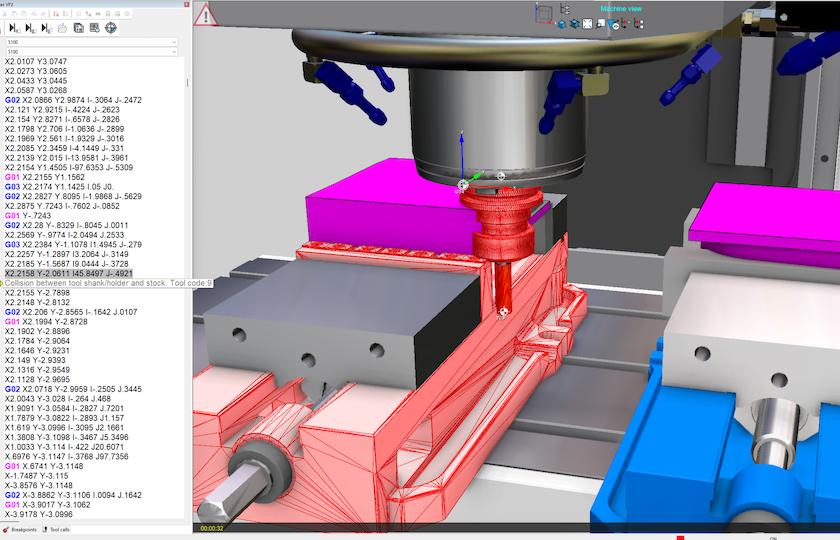
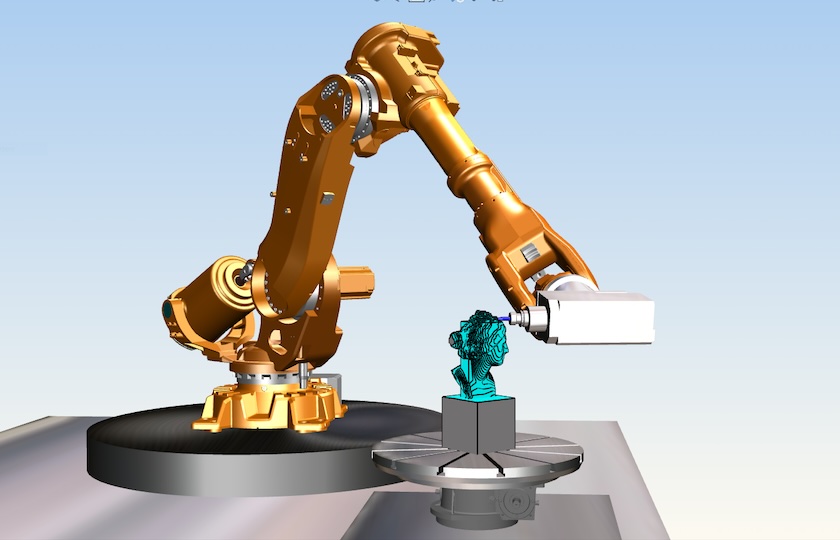
Direct connections to leading CAM systems that send programs, tools, fixtures and CAD models to Eureka with no manual steps. A faster, cleaner and more accurate way to verify machining.
CAM Software Integrations for CNC Simulation
Seamless interfaces connect Eureka directly to YOUR CAM system so you can send complete machining data with one action.
Complete G-code program transfer
Tool assemblies including holders and offsets
Fixtures, vises, clamps and custom workholding
Stock models and in-process stages
Machine zero points, work offsets and coordinate systems
This removes the need to rebuild or re import anything, keeping programming and simulation fully aligned.
Supported CAM systems
Mastercam
Transfers toolpaths, tools, holders and fixtures directly.
See it in Action
hyperMILL
Sends high-end multi-axis strategies and entire machining project.
CATIA
Exports operations, tooling and models for accurate simulation.
Creo
Brings over programs, tools, fixtures and full assemblies.
Esprit
Transfers complex multi-axis paths with correct tooling.
Cimatron
Delivers data for mold and die machining workflows.
GibbsCAM
Pushes toolpaths for milling, turning and multi-tasking.
EdgeCAM
Sends processes with tools and fixturing for mill-turn work.
CAMWorks
Transfers features, toolpaths, tools and setups.
Fusion 360
Transfers toolpaths, tools, holders and fixtures directly.
See it in Action
PowerMill
Sends high-end multi-axis strategies and entire machining projects.
FeatureCAM
Delivers data for mold and die machining workflows.
Siemens NX
Integrates advanced multi-axis data and tool libraries.
See it in Action
TopSolid
Delivers high-speed and multi-axis toolpaths for verification.
WorkNC
Transfers 3-axis and 5-axis data for mold and aerospace jobs.
Alphacam
Supports woodworking, stone and routing workflows.
GO2cam
Provides clean transfer of toolpaths, tools and fixtures.
ZW3D
Moves models, programs and tooling with minimal steps.
Why users choose seamless interfaces
No rebuilding tools or fixtures
Everything comes over directly from YOUR CAM.
Accurate data
Tools and models match the entire programming setup.
Faster setup
Load complete machining context in seconds.
Better collaboration
Operators and programmers see identical setups.
Fewer mistakes
Removes mismatches between YOUR CAM and Eureka G-Code Simulation.
Next step
We can help you choose the correct interface for your workflow.